
Gaussian Splatting For DaVinci Resolve
import, manipulate and render 3D Gaussian Splatting (.ply) files inside DaVinci Resolve in real-time with GPU.
Import Splats (.ply)
trained with any software





Features
- Import .ply files in Davinci Resolve.
- Crop with Spherical or Box shape.
- Crop with Y Plane.
- Combine up to 10 models in the scene.
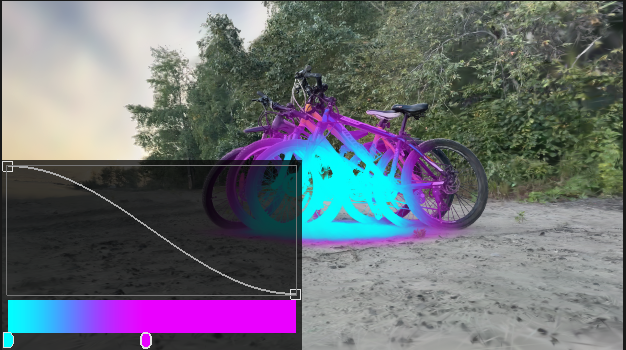
- Colorize with Ramp using Spherical or Box shape.
- Reveal model with Opacity Ramp.
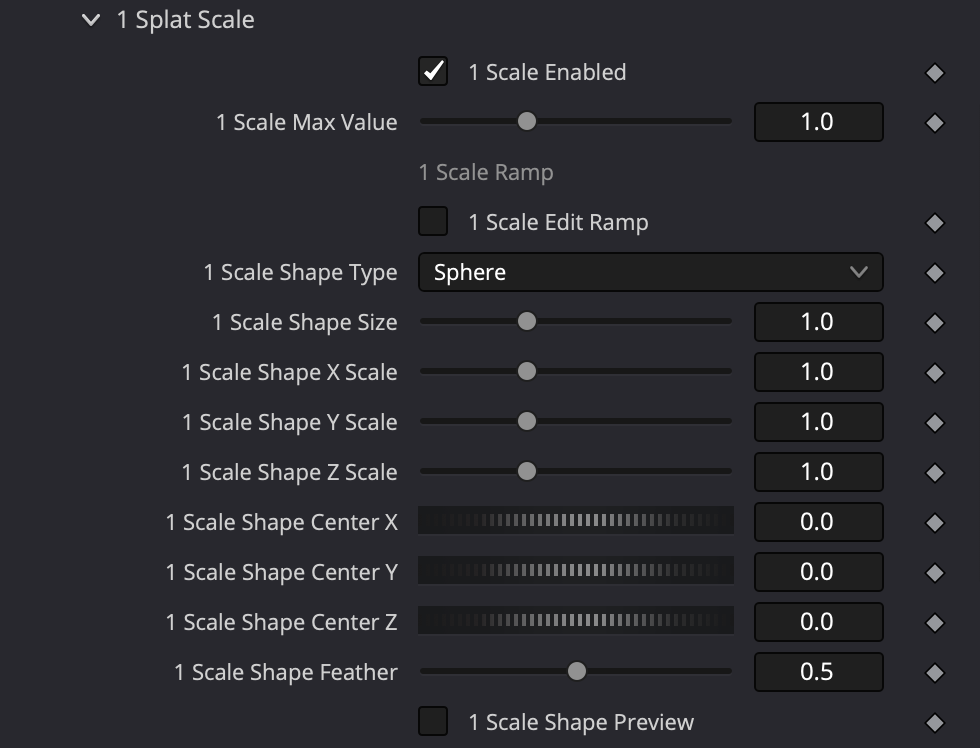
- Animate Splat Scale with Spherical or Box shape.
- Each model can be distorted with Noise.
- Render Depth Pass for 3D compose.
- Color correction for each model.
- Real-time with GPU
- Export scene
Align Model
Align the model to the center of the scene, and orient it horizontally.
Crop
Crop scene with Sphere or Box and Y Plane.
Noise
Use Noise to distort models to reveal effects.
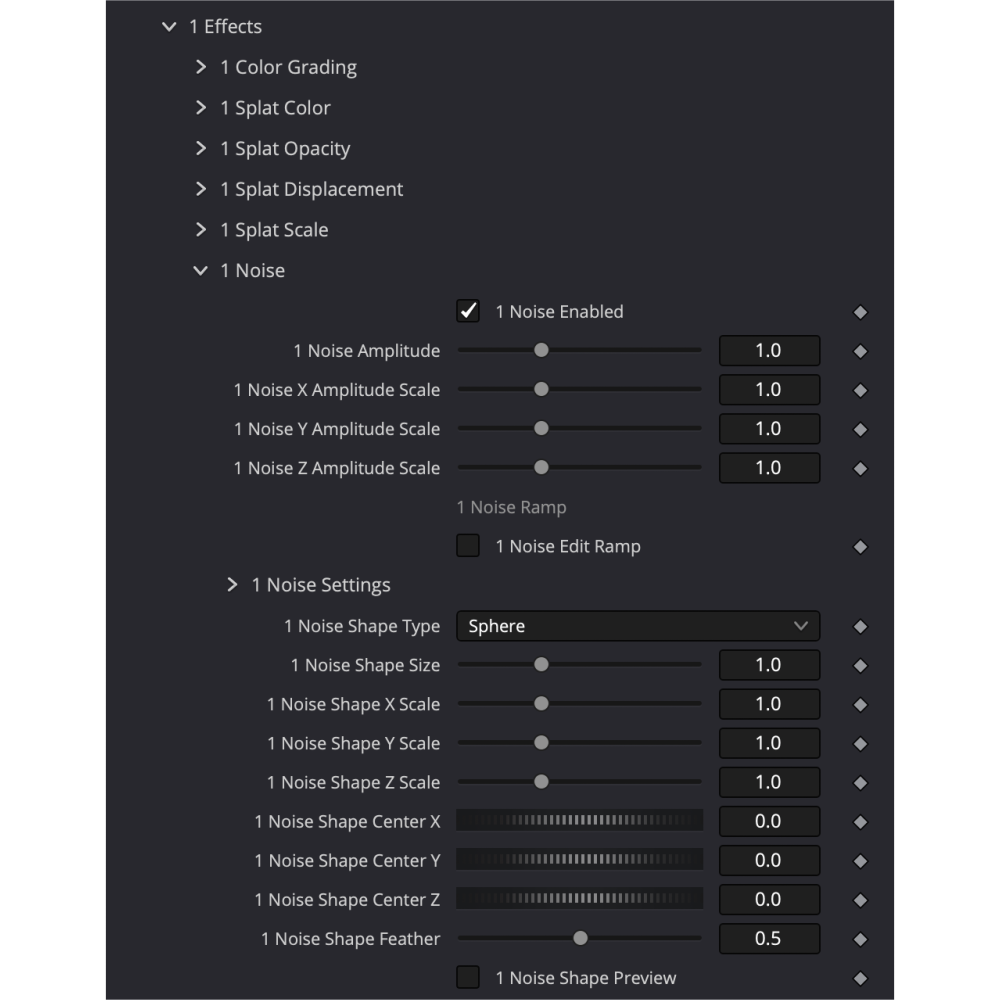
Effects
Animate your scene with built-in tools.
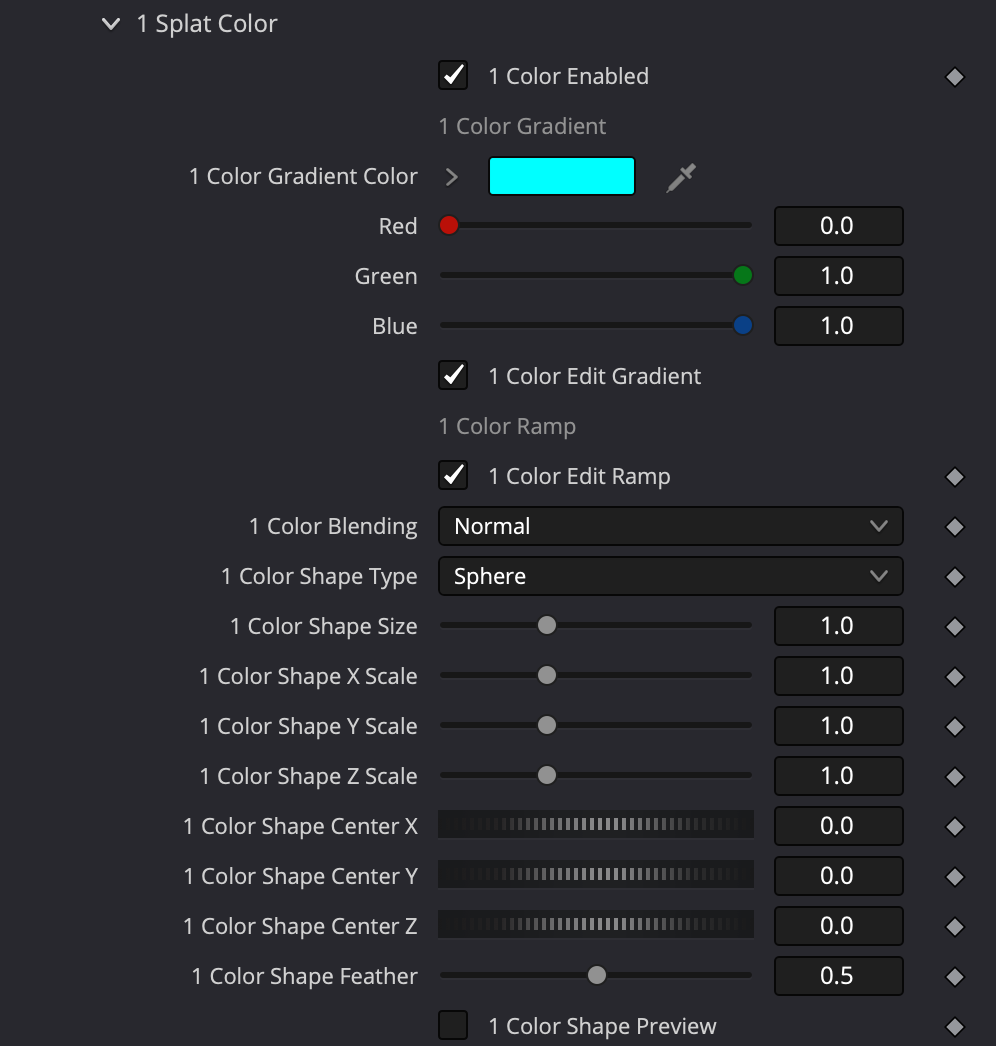
Colorize Splats
Colorise with Ramp over spherical map.
Splats Scale
Animate Splats size with Ramp And Spherical or Box map to make spectacular reveals.
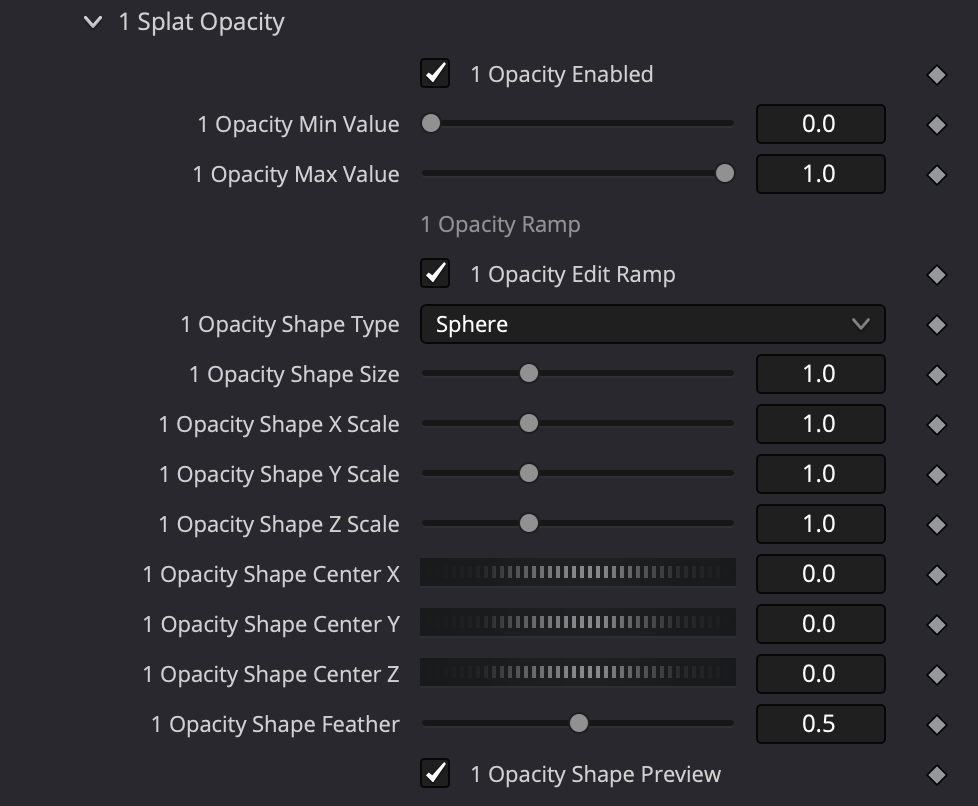
Splats Opacity
Set Opacity to Splats with Ramp.
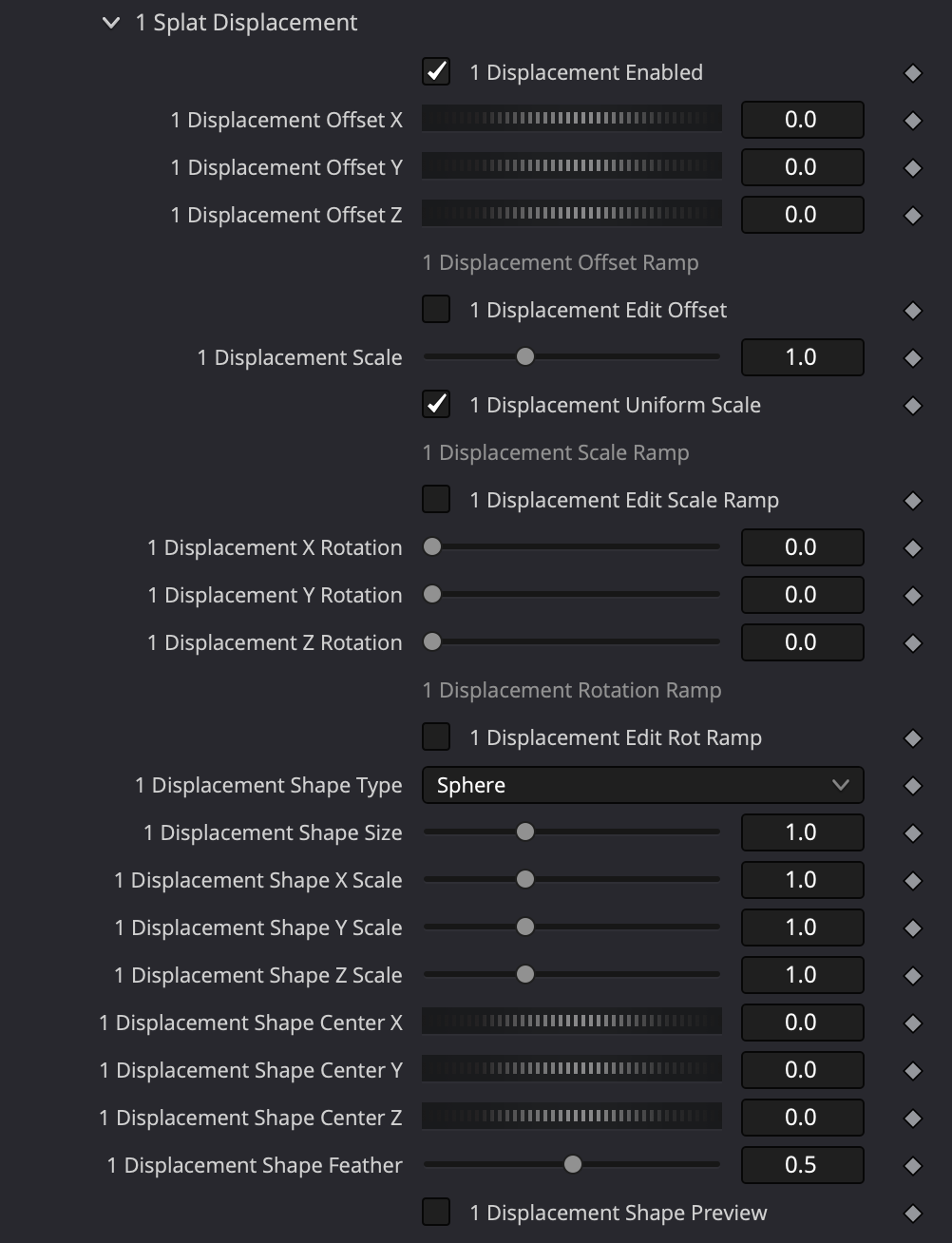
Splats Displacement
Animate Splats size with Ramp And Spherical or Box map to make spectacular reveals.
Combine multiple ply scans
Use up to 10 models in scene.
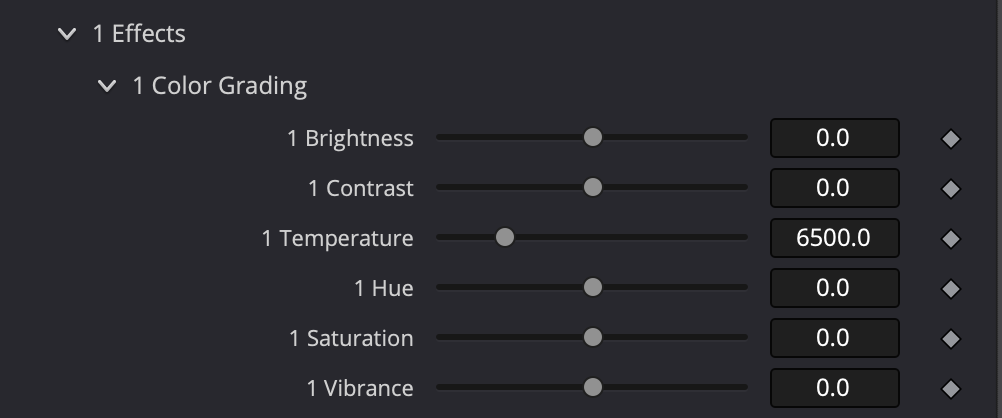
Color Grading
Color Grade each model individually to match color temperature and brightness.
FAQ
What is Gaussian Splatting?
Gaussian Splatting is a rasterization technique that allows real-time rendering of photorealistic scenes from small samples of images.
How to create Gaussian Splats?
You can create Splats from recorded video with your phone or camera. Turn on video recording, walk around the object or scene from different heights and angles.
1Create a Gaussian splatting by using a mobile app like Polycam or Luma.
2Create a Gaussian splatting in your PC on GPU with PostShot or NerfStudio.
3Create a Gaussian splatting on device with Lidar using the app Scaniverse.
How to create and export Splats with LumaAI from desktop
YYou can create Splats from recorded video with your phone or camera. Turn on video recording, walk around the object or scene from different heights and angles.
- Open lumalabs.ai
- Go to Captures and click on create
- Upload your recorded video and wait about 30 minutes until training is done.
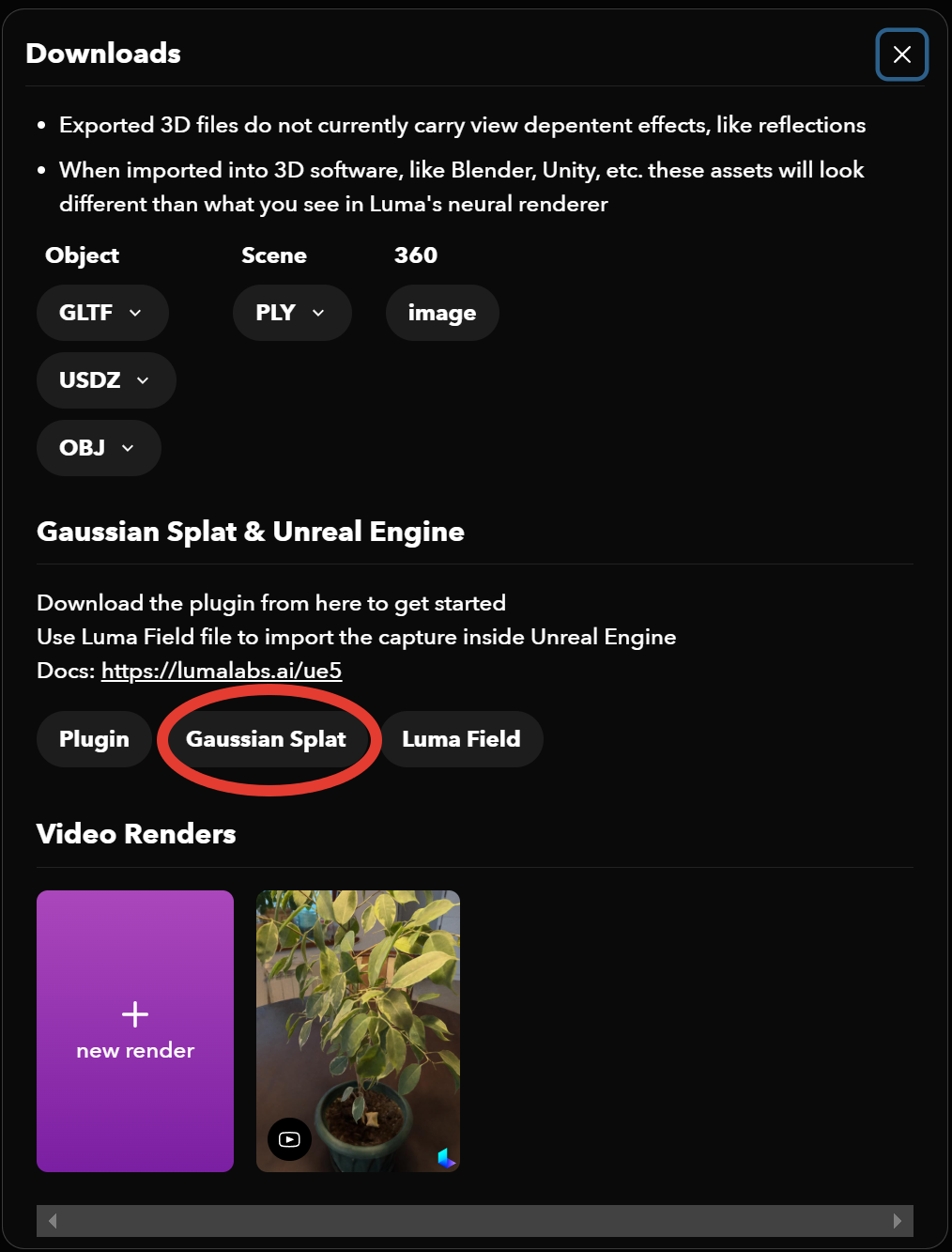
- After the training process is over, open your scan and click on the "Download" icon.
- In the dialog menu choose "Gaussian Splat".
Note:
- You can either upload a normal/fisheye/equirectangular video or a zip of videos
- You can upload images in zip file.
- Maximum the size of the video or zip file can be 5 gigabytes